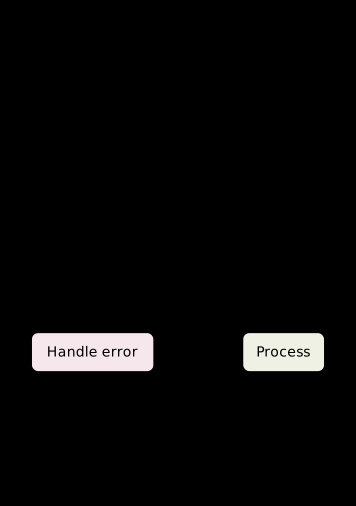
Flowchart
Shapes are element types now: the tag IS the mark. Layout (column/row) and connection stay orthogonal to shape. The two tinted boxes carry their colour as a CLASS rather than as an inline fill, so the tint can follow the colour scheme. Pinned inline colours can't: a pale fill stays pale in dark mode, while the label colour flips light to suit the dark background, and the text all but vanishes against it. Anything given a fixed fill needs a fixed foreground to match, or a rule per scheme like this.
Result
Source examples/flowchart.svgn
<diagram padding="32">
  <!-- Shapes are element types now: the tag IS the mark.
       Layout (column/row) and connection stay orthogonal to shape.

       The two tinted boxes carry their colour as a CLASS rather than as an
       inline fill, so the tint can follow the colour scheme. Pinned inline
       colours can't: a pale fill stays pale in dark mode, while the label
       colour flips light to suit the dark background, and the text all but
       vanishes against it. Anything given a fixed fill needs a fixed
       foreground to match, or a rule per scheme like this. -->
  <style>
    .bad  { fill: #f6e7ec; stroke: #7c2c43; }
    .good { fill: #eef1e3; stroke: #6b7a45; }
    @media (prefers-color-scheme: dark) {
      .bad  { fill: #3a1d24; stroke: #d98a9e; }
      .good { fill: #262e1a; stroke: #a8bd77; }
    }
  </style>

  <column gap="46" align="center">
    <ellipse id="start" label="Start"/>
    <rect    id="read"  label="Read input"/>
    <diamond id="check" label="Valid?"/>
    <row gap="90">
      <rect id="handle"  label="Handle error" class="bad"/>
      <rect id="process" label="Process"      class="good"/>
    </row>
    <ellipse id="done" label="Done"/>
  </column>

  <connect from="start"   to="read"/>
  <connect from="read"    to="check"/>
  <connect from="check"   to="process" label="yes"/>
  <connect from="check"   to="handle"  label="no"/>
  <connect from="process" to="done"/>
  <connect from="handle"  to="done"/>
</diagram>