Gaps
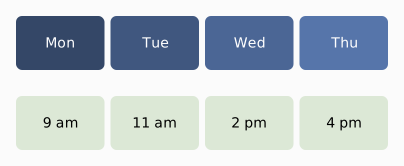
Separate row/column gaps. column-gap tightens the columns while row-gap opens space between the rows (or write both at once as gap="row col"). Here a tight column-gap and a loose row-gap split the tiles into two clear horizontal bands, days over times. gap= alone still sets both axes.
Result
Source examples/gaps.svgn
<diagram width="404" padding="16" background="#fbfbfb" theme="light">
  <!-- Separate row/column gaps. column-gap tightens the columns while row-gap
       opens space between the rows (or write both at once as gap="row col").
       Here a tight column-gap and a loose row-gap split the tiles into two clear
       horizontal bands, days over times. gap= alone still sets both axes. -->
  <grid columns="repeat(4, 1fr)" rows="repeat(2, 54)" column-gap="6" row-gap="26">
    <box fill="#344767" color="#ffffff" rx="6">Mon</box>
    <box fill="#40577f" color="#ffffff" rx="6">Tue</box>
    <box fill="#4b6695" color="#ffffff" rx="6">Wed</box>
    <box fill="#5675aa" color="#ffffff" rx="6">Thu</box>
    <box fill="#dce8d6" rx="6">9 am</box>
    <box fill="#dce8d6" rx="6">11 am</box>
    <box fill="#dce8d6" rx="6">2 pm</box>
    <box fill="#dce8d6" rx="6">4 pm</box>
  </grid>
</diagram>