Prose
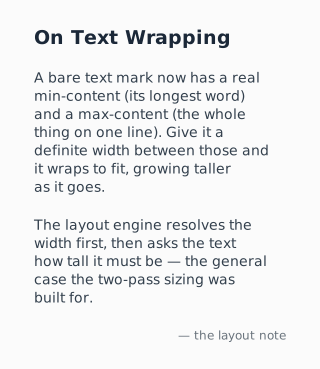
Text min/max-content: a bare <text> mark now has a real min-content (its longest word) and max-content (one line). In a definite-width column that stretches it, it WRAPS to the column width and grows taller. It is the first element whose height depends on its resolved width, so the two-pass resolver computes the width, then the text reports its height.
Result
Source examples/prose.svgn
<diagram width="320" padding="22" background="#fbfbfb" theme="light">
  <!-- Text min/max-content: a bare <text> mark now has a real min-content (its
       longest word) and max-content (one line). In a definite-width column that
       stretches it, it WRAPS to the column width and grows taller. It is the
       first element whose height depends on its resolved width, so the two-pass
       resolver computes the width, then the text reports its height. -->
  <column align="stretch" gap="12">
    <text font-size="19" font-weight="700" text-align="left" color="#1b2838">On Text Wrapping</text>
    <text text-align="left" color="#33404d">A bare text mark now has a real min-content (its longest word) and a
      max-content (the whole thing on one line). Give it a definite width between those and it wraps to fit,
      growing taller as it goes.</text>
    <text text-align="left" color="#33404d">The layout engine resolves the width first, then asks the text how
      tall it must be — the general case the two-pass sizing was built for.</text>
    <text text-align="right" font-size="12" color="#69737c">— the layout note</text>
  </column>
</diagram>